Connections: mail, calendar, storage and QuickBooks
Firmary connects to the mail, calendar, file storage, ledger, payments and phone systems a firm already uses.

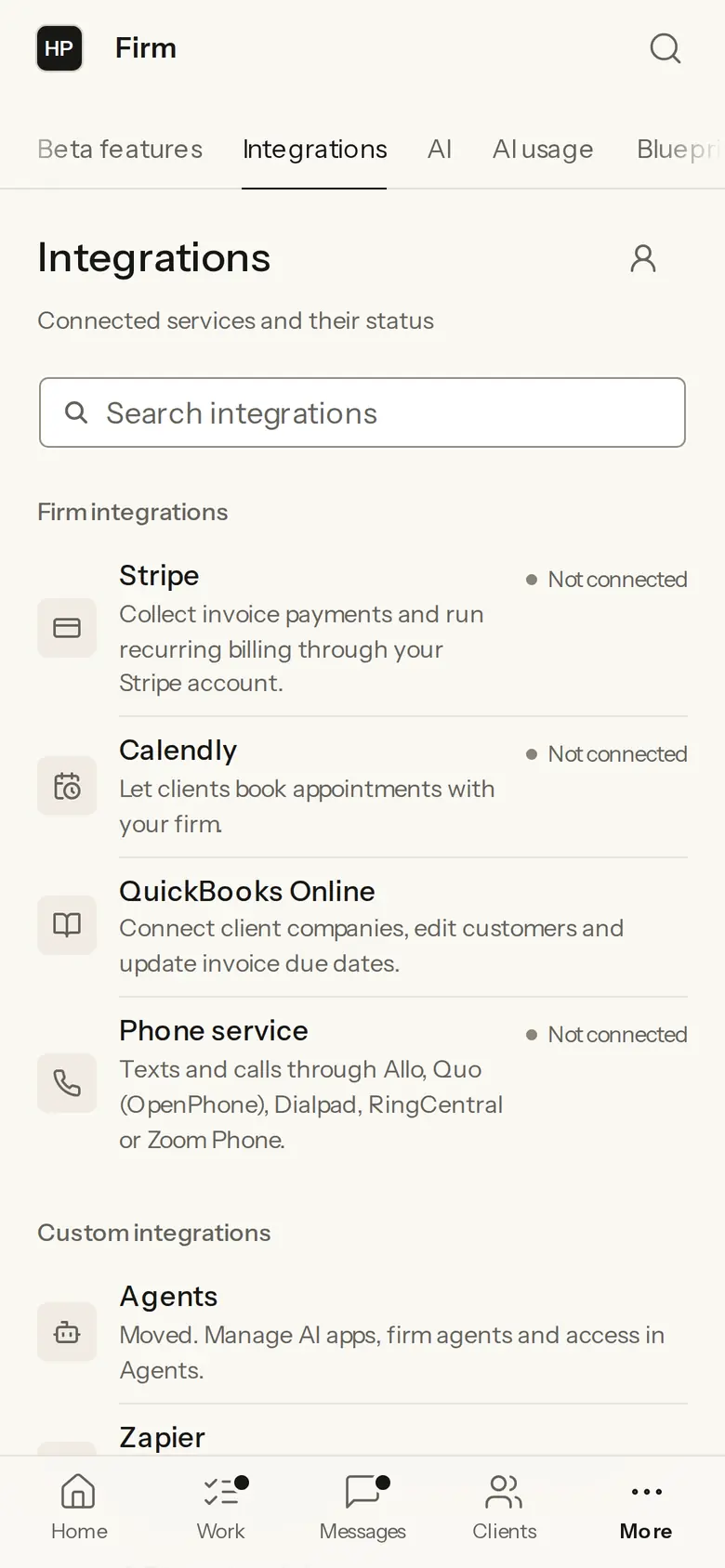
What it does
Gmail or Outlook mail.
Google or Microsoft 365 calendar; events created from Firmary can carry a Google Meet or Microsoft Teams link.
Google Drive, OneDrive or Dropbox.
QuickBooks Online: customers and invoices come in.
Stripe for online payments.
Texting through Allo, Quo (OpenPhone), Dialpad, RingCentral or Zoom Phone.
Who it’s for
Firms that want Firmary to work with the mail, calendars, storage and ledger they already use.
How it works
- 1
In Firmary, open Firm administration, then Integrations.
- 2
Pick a service and sign in to it.
- 3
Firmary shows each connection’s status.
What’s included
Gmail or Outlook mail, and Google or Microsoft 365 calendars with Google Meet or Microsoft Teams links.
Google Drive, OneDrive or Dropbox.
QuickBooks Online, Stripe, and texting through Allo, Quo (OpenPhone), Dialpad, RingCentral or Zoom Phone.
Limits
Not sold on its own: it comes with Firmary.
QuickBooks Online is the only ledger.
No connection to tax software such as Drake, Lacerte, UltraTax, ProConnect or CCH.
Price
Comes with Firmary, from $125 a month
It isn’t sold on its own. The price depends on your plan, your firm’s size (staff or active clients) and whether you pay monthly or yearly. Request a quote for your firm.
Questions
- What does Connections: mail, calendar, storage and QuickBooks cost?
- Comes with Firmary, from $125 a month. It isn’t sold on its own. The price depends on your plan, your firm’s size (staff or active clients) and whether you pay monthly or yearly. Request a quote for your firm.
- Does Firmary replace our ledger?
- No. QuickBooks Online stays your ledger; its customers and invoices come into Firmary.
- Which mail and calendars work?
- Gmail or Outlook, and Google or Microsoft 365 calendars. Events created from Firmary can carry a Google Meet or Microsoft Teams link.
- Which file storage works?
- Google Drive, OneDrive or Dropbox.
Support
Email support@firmary.app, or start from Firmary’s help and setup page.
Goes with
- Client messages and textingWith FirmarySecure client messages in Firmary appear within seconds for both sides, and firms text clients through their own phone system.
- InsightsWith FirmaryInsights gives a firm dashboards and charts over its own figures in Firmary, and every number opens the records behind it.
- API and webhooksWith FirmaryFirmary has an API and webhooks, so a firm’s own software can read and update records and react to events.
Checked against the running product on November 10, 2026. Questions: support@firmary.app. Everything Firmary offers